
Message Type: Integration-related - Dynamics 365 Business Central.
Cause: A deferral code with that name already exists, but its settings do not match the requirements of the integration. Therefore, the integration is attempting to recreate it.
Action: Ideally, change the deferral code so that the integration can use it.
Make sure that “Calc. Method” is set to “Equal per Period (Linear)” and that “Start Date” is set to “Posting Date.”
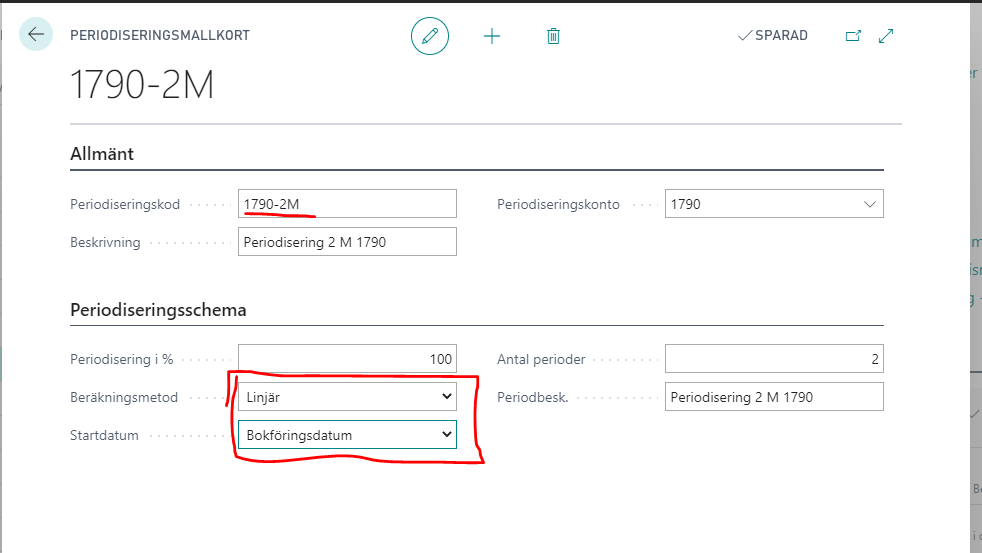
If this is not possible, change the deferral code to something else that does not conflict with the integration. For example, change 1790-2M to D1790-2M; then the integration can create a new deferral code named 1790-2M.
If this does not resolve the issue, please contact us at the MediusGo Customer Center directly via the support button on the invoice or through the customer portal.