
Message Type: Integration-related - Dynamics 365 Business Central.
Cause: The row you are trying to link no longer exists in D365-BC/NAV.
This can be due to several different reasons, some of which are listed below:
- When a row is manually linked to an invoice in the ERP system, the information is not forwarded to MediusGo correctly due to an error.
- There is a known bug in certain versions of the ERP Connector (APP versions) that causes the wrong purchase receipt ID to be sent to MediusGo.
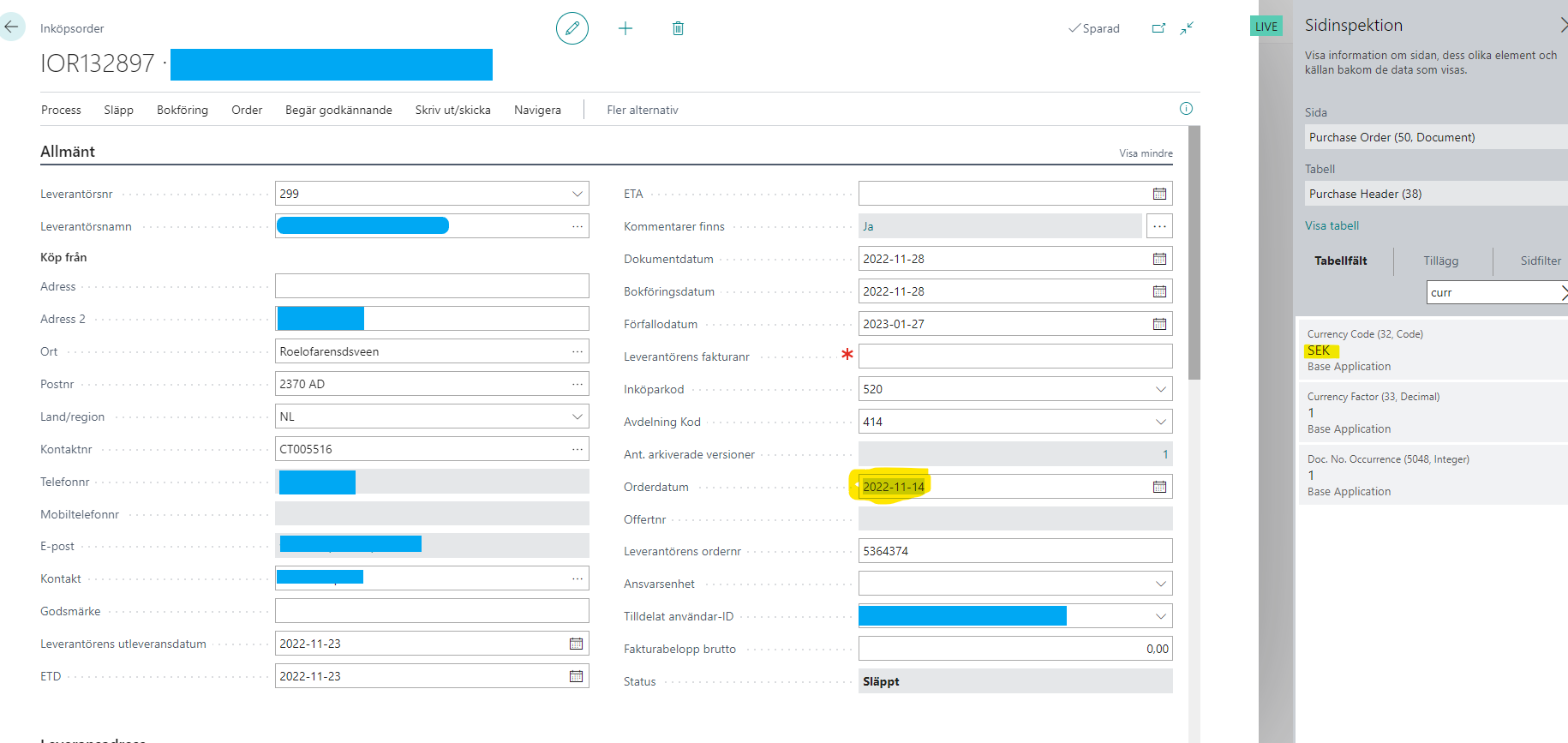
- The currency code must be consistent across the vendor, the purchase invoice, and the delivery. It may be left blank or contain a single currency code, but not a mix of multiple codes. (See the images below for examples of what does not work.)
Action: Investigate the issue in the ERP system and verify that the order is still open and that no other invoice is linked to the line item.
Depending on the results of the investigation, take appropriate action by making changes, corrections, and, in some cases, manual journal entries.
Examples of mixed currency codes. Remove the currency code from the vendor record. Deliveries that have already been completed are not affected, but the customer must create new ones.
If this does not resolve the issue, please contact us at the MediusGo Customer Center directly via the support button on the invoice or through the customer portal.