
Copy coding from Excel
If you have a specific coding distribution in Excel that you want to transfer to the coding rows in the system, there are three ways to do this: by pasting with headers, pasting without headers, or by dragging and dropping an Excel file directly into the view.
Excel source data
The data copied from Excel can be structured in different ways and can be used both with and without column headers.
If headers are used and they match the fields in the coding string, the values are automatically placed in the correct column when pasted. If the data has no headers, the paste starts from the cell that is selected on the coding row when you paste.
For new rows to be created, the account column must be included with values in the pasted data
Amounts can be entered either as numbers or as %
Drag and drop file
It is possible to drag an Excel file directly onto the coding rows. When you drag the file over the area, the background color changes to show whether the file can be accepted. If the background turns blue, you can drop the file and the coding rows in the file are imported. If the background turns red, the file format is not valid and cannot be imported.
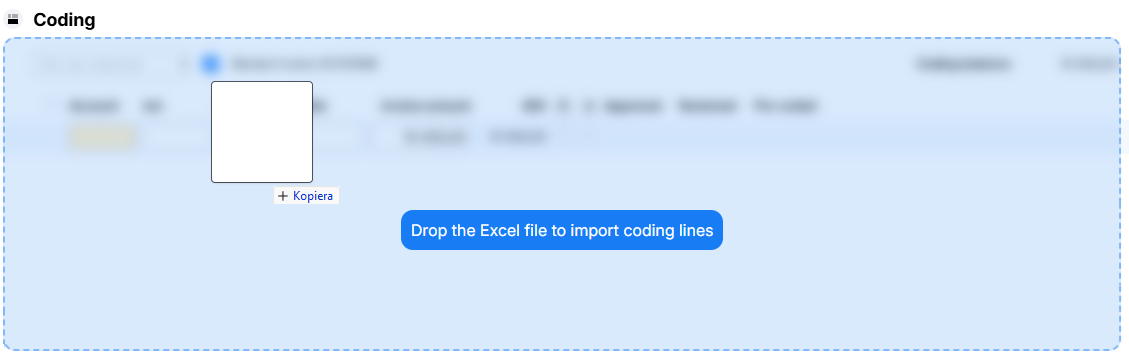
The file must contain column headers that match the fields in the coding string, as well as valid values. If the headers match the coding string, the values are placed in the corresponding columns. If the file has no headers, it is handled in the same way as clipboard data without headers, meaning the values are entered starting from the account field on the first empty row.
Paste with headers
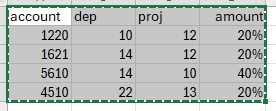
When you paste data that contains headers, the values are matched based on each header and are automatically placed in the correct column. This method always creates new coding rows.
Paste without headers

If you paste data without headers, the selected cell is treated as the top-left starting point for the paste. This means the values are placed relative to the position where you are standing when you paste.
For a new coding row to be created, there must be a valid value in the account field on the row. You can also use this method to replace values in individual columns on existing rows, without creating new rows.