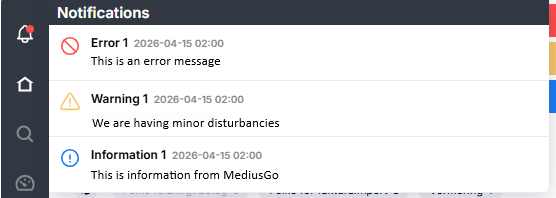
MediusGo can send various notifications that appear at the top of the Work Queue window. The notifications come in three different colors:
- Red notification
A message about various types of errors, such as serious service disruptions and outages. - Yellow notification
A warning message about, for example, minor service disruptions. - Blue notification
Information messages from MediusGo regarding, for example, support hours.

You can also post internal messages, which will appear in a light yellow color.

Read more about this in the article Instance Messages.
Close the notifications by clicking the X in the right-hand corner.
Notification center
All active notifications will also be listed under the icon  in the black menu column
When there are active notifications, this will be indicated by a dot on the icon  , where the color of the dot indicates the type of notification.